How to Remotely Control Claude Code From Anywhere
Your Claude Code session lives on your laptop. This is a guide to connecting it to Nexting, viewing the live session, answering prompts, mirroring the screen, and continuing work away from the desk.
Eric Shang
Founder, Nexting Inc.
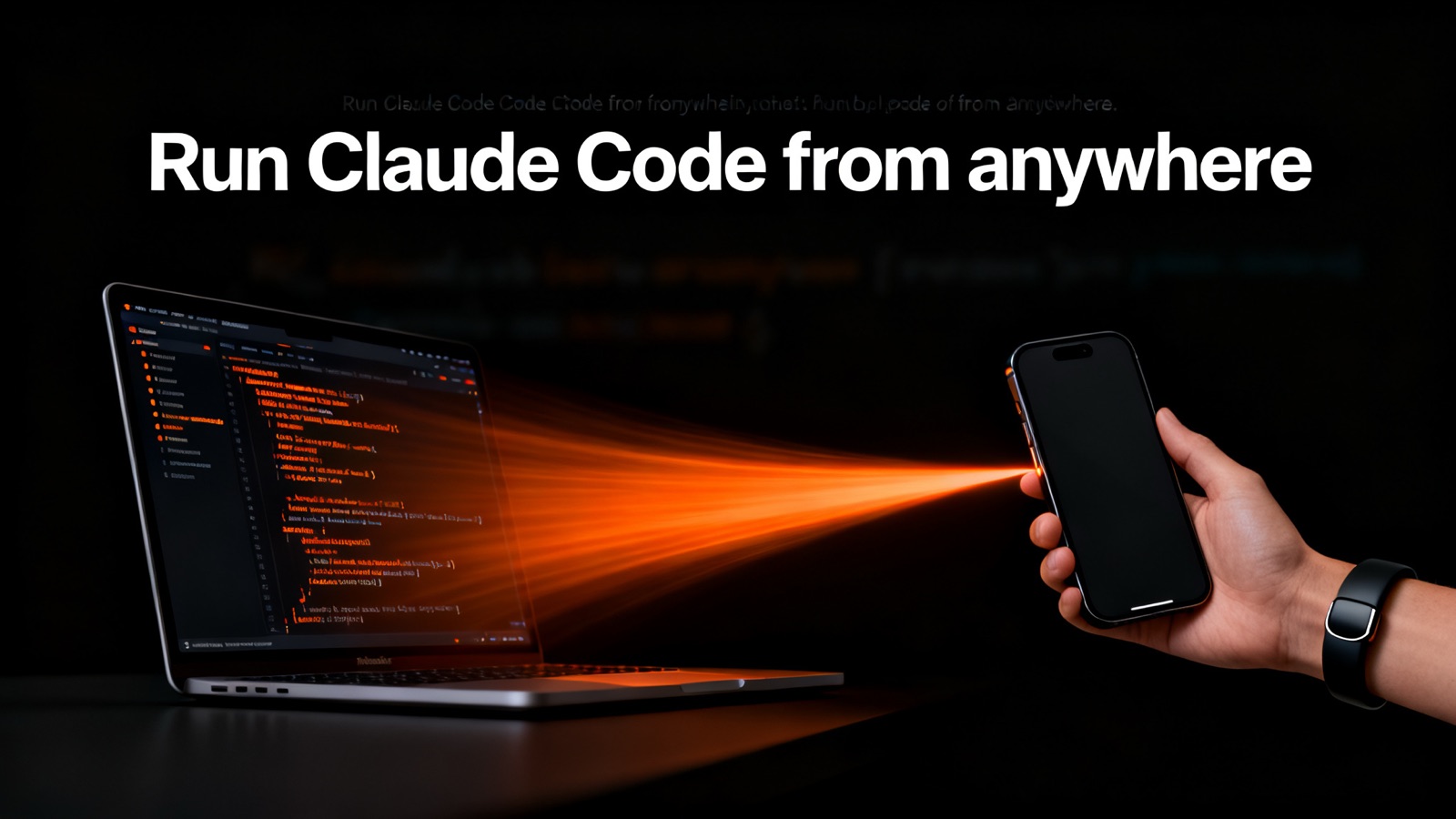
Yes, you can control Claude Code hands-free. The trick is that you do not move Claude onto your body — you leave the real session running in a terminal on your Mac and remote-control it from a wearable and phone. You speak a task, it relays to the Mac, the agent runs, and you watch the live session from your pocket, reply for it, and approve its prompts. The phone never runs Claude itself; it is a remote for a session that already exists.
That distinction is the whole article in one breath, and getting it right is what separates a useful workflow from a marketing fantasy. Plenty of people imagine “AI coding on a wearable” means a tiny model crunching your repo on a clip the size of a coin. It does not, and it should not. Your codebase, your credentials, your build toolchain, and the agent that understands all three already live on your laptop. The right move is not to relocate that machinery — it is to give yourself a fast, low-friction remote so you can drive it from anywhere, including a hallway, a sidewalk, or a kitchen while the kettle boils.
This is a practical guide. It explains what Claude Code is, what “remote-controlling a running session” actually means at the protocol level, the real end-to-end workflow with a wearable, the use cases where it earns its keep, how to write voice dispatches that land, what fire-and-forget dispatch buys you over babysitting a terminal, how privacy works in this mode, and — just as important — the honest limits of the approach.
First, what Claude Code actually is
Claude Code is Anthropic's agentic coding tool that lives in your terminal. It is not autocomplete and it is not a chat box that hands you snippets to paste. It reads your codebase, understands the relationships between files, plans an approach to a task, edits files across the project, runs commands and tests, reacts to failures, iterates, and can handle git workflows — all driven by natural-language instructions. Anthropic describes it as an agent that reads a codebase, plans a sequence of actions, executes them with real development tools, evaluates the result, and adjusts, while the developer sets the objective and keeps control over what gets committed.
The shape of the tool matters for everything that follows. Claude Code is a terminal program. You launch claude inside a project directory and it runs as an interactive session in that terminal — technically inside a pseudo-terminal, or PTY, the same mechanism every shell uses to render an interactive program. Because it is terminal-native, it does not need a graphical display; it runs the same on a laptop, inside a Docker container, or on a headless Linux server with nothing but shell access. That portability is exactly why it can be remote-controlled cleanly: a terminal session is a stream of bytes in and a stream of bytes out, and bytes travel well.
By 2026 this style of tool is no longer fringe. Claude Code has accumulated more than a hundred thousand GitHub stars since general availability, and Anthropic has said that the majority of its own code is now written with it. The broader industry has shifted from suggestion to delegation: IDE plugins still offer line-by-line completions you accept, but CLI agents now run autonomously for long stretches, coordinating changes across dozens of files and running shell commands to verify their own work. Understanding that backdrop helps explain why a wearable remote is suddenly worth building — the agent does enough on its own that you no longer need to sit and feed it one line at a time.
What “remote-controlling a running session” means
There are two completely different things people mean when they say “use Claude Code from my phone,” and conflating them is the most common mistake in this space.
The first is starting a fresh, isolated agent in the cloud — a new sandbox, a new checkout, no connection to the terminal you already have open. That can be useful, but it is not what this guide is about, and it has real downsides: it does not share your local environment, your uncommitted changes, your running dev server, or the live state of a task you kicked off an hour ago.
The second — the one that actually feels like magic — is attaching to the session that is already running on your machine. Same working directory, same conversation history, same half-finished refactor, same test run in flight. You are not spawning a new brain; you are picking up the remote for the brain that is already at work. When you reply from your phone, your words are injected into that existing session as if you had typed them at the keyboard. When the agent prints output or asks a question, that output streams back to your pocket in real time.
Here is the part to be scrupulously honest about, because it is load-bearing for trust: the phone and the wearable do not run Claude. There is no model on the clip and no model on the handset. Text you speak travels phone → cloud relay → Mac bridge → the existing terminal session, and the session's output travels back along the same path in reverse. The cloud in the middle is a relay — it moves bytes between your devices; it is not where the agent lives and not where your code is checked out. The agent runs where it always ran: on your Mac, with your keys, against your files. The wearable is a microphone and a screen for a session that exists somewhere else.
If you have ever used tmux to keep a session alive after an SSH disconnect, you already understand the spirit of this. A terminal multiplexer lets you start a program, detach, and reattach later from a different place without killing what is running inside. Remote-controlling Claude Code from a wearable is that idea taken to its conclusion: the “reattach” happens from your body, over the network, with voice as the primary input. There are open community feature requests on the Claude Code repository asking for exactly this — a headless remote-control mode and cross-device session resume — which tells you the demand is real and that, until first-party support lands, a bridge is how you get there today.
The architecture, plainly
It helps to name the pieces, because once you see the chain you can reason about every behavior — including the failure modes — without hand-waving.
- The wearable— a clip you talk to. Its job is capture: it turns your speech into intent and pushes it up. It holds no model and stores no code.
- The phone— the screen and the inbox. It shows the live session, lets you scroll the transcript, type a reply, tap an answer to a prompt, and see results when they land. It relays; it does not compute the agent's work.
- The cloud relay— the postal service. It carries messages between your phone and your Mac so the two can talk even when they are on different networks. In the bring-your-own-agent modes it carries ciphertext, not readable content (more on that below).
- The Mac bridge— a small program on your laptop that holds the door open. It maintains the connection to the relay, attaches to the running Claude Code PTY, injects incoming text as keystrokes, and streams the terminal output back out.
- Claude Code itself— the agent, running in its terminal on your Mac, doing the actual reading, planning, editing, and testing.
Read in one direction it is a microphone wired across the internet to a keyboard. Read in the other it is a terminal screen mirrored into your pocket. Nothing about it requires the phone to be powerful, and nothing about it moves your repository off your machine. That is the design, and it is deliberately boring where it counts — boring infrastructure is what lets the interesting part (talking to your codebase while walking) be reliable.
The real workflow, step by step
Enough theory. Here is what a full loop looks like in practice, from a cold start to a finished task you never sat down for.
- On your Mac, open a terminal in your project and start Claude Code the way you always do. This is your real session — same directory, same git state, same toolchain.
- Run the bridge alongside it so the session is reachable. The bridge attaches to that terminal and registers it with the relay under your account, paired one-to-one to your phone.
- On your phone, open the app and confirm the session shows as live. You should see the existing transcript — not a blank slate — because you are attaching to a session that already exists, not creating a new one.
- Walk away from the desk. Put the laptop to sleep is the one thing you do notdo — the Mac stays awake so the agent can keep working; but you, personally, can leave.
- When you have a task, hold the button on the wearable and speak it:
Run the full test suite and fix any failures in the auth module.Release to send. - Your speech becomes text, relays through the cloud to the Mac bridge, and is injected into the running session as if you typed it. The agent picks it up and starts working.
- From your pocket, watch it go. The live terminal streams to your phone — you see the commands it runs, the files it touches, the test output scrolling by.
- When the agent hits a decision point and asks a question — or requests permission to run a command or write a file — that prompt surfaces on your phone. You answer it from there: approve, decline, or reply with guidance, in your own words.
- If it goes down the wrong path, you steer mid-flight. You do not have to wait for it to finish to correct course; a reply is just more text injected into the same session.
- When the work lands — tests green, refactor done, branch pushed — the result comes back to your phone. You read the summary, glance at the diff, and decide what to do next, all without having returned to the keyboard.
The shape of this loop is the point. You are not transcribing code with your thumbs. You are issuing intent, supervising at a glance, unblocking the agent when it needs a human, and collecting results — the parts of the job that genuinely need you — while delegating the typing and the waiting to a machine that is good at both.
Dispatch versus babysitting: what fire-and-forget buys you
The traditional way to use a coding agent is to babysit it. You sit at the terminal, watch every token, approve every step, and treat the agent like a junior pair who cannot be left alone. That mode has its place — the first time you point an agent at unfamiliar code, you should watch closely. But it pins you to a chair, and it wastes the agent's biggest advantage, which is that it can grind through long, mechanical work without getting bored or distracted.
Dispatch is the opposite stance. You state the outcome you want, send it, and walk away. The agent runs in the background. Results come back when they are ready. You re-engage only at the moments that need a human — a permission prompt, a genuine fork in the design, a result to review. This is the model a wearable is built for: a single sentence out, an agent working while your phone is locked and you are in motion, and an answer that arrives when there is something worth telling you.
The trade is real and worth stating plainly. Babysitting gives you maximum control and immediate course-correction at the cost of your full attention. Dispatch gives you back your attention and your legs at the cost of tighter, less continuous control. The art is knowing which one a task deserves — and the nice thing about remote-controlling a live session is that you are not locked into either. You can dispatch a long task, walk away, and then drop back into close supervision the instant a prompt pulls you in, all on the same session.
| Dimension | Babysitting a terminal | Dispatch from a wearable |
|---|---|---|
| Your attention | Fully occupied, eyes on stream | Free; pulled in only at prompts |
| Where you can be | At the desk | Walking, commuting, away from the keyboard |
| Course-correction | Immediate, continuous | At a glance; steer when something surfaces |
| Best for | Unfamiliar code, risky changes, first run | Long builds, test runs, known refactors, chores |
| Throughput | One task at a time, your pace | Agent's pace; you batch the human moments |
| Failure feel | You catch it instantly | You catch it at the next surfaced moment |
Where this earns its keep: concrete use cases
The wearable remote is not a party trick you use once and forget. It pays off on a specific class of work — tasks that are long, mechanical, or interruptible, where your value is in setting direction and unblocking, not in typing. Here are the patterns that come up most.
Long builds and compiles
Big projects take minutes — sometimes many minutes — to build. Babysitting a progress bar is a waste of a human. Dispatch the build, walk to get coffee, and let the result find you. If it fails, the error surfaces on your phone and you can tell the agent to investigate before you are even back at the desk.
Large, well-scoped refactors
Renaming a concept across forty files, migrating an API surface, or threading a new parameter through a call chain is exactly the mechanical grind agents excel at. You scope it precisely, dispatch it, and check in when it asks whether an ambiguous call site should change. The 2026 reality is that agents now routinely own multi-file refactors; your job shrinks to judgment calls.
Test runs and the fix loop
“Run the tests, fix what breaks, run them again” is a loop that can take a long time and needs a human only when a fix is genuinely ambiguous. Dispatch it and let the agent iterate. You get pinged when the suite is green — or when it hits something it cannot resolve without you.
Multi-step chores
Bumping dependencies, regenerating types, updating a changelog, wiring a new config flag through the stack — the unglamorous sequences that fill an afternoon. These are ideal dispatch fodder because each step is clear and the whole chain is long.
Code review on the move
You can read a diff and a summary on your phone the same way you read a long message. Ask the agent to walk you through what changed and why, question a decision, and request a tweak — all as a conversation in the live session, from a bus seat. You are reviewing with your eyes and judgment; the agent does the editing.
The 2 a.m. idea
You are away from the desk and you think of the fix. Instead of holding it in your head until morning, you speak it. The session is live; the agent starts; the work is half-done before you would otherwise have written it on a sticky note. Capturing intent the moment it strikes is, quietly, one of the biggest wins.
Answering prompts and permission requests from your pocket
Claude Code does not run wild by default. It asks before doing things that matter. By default it prompts for approval before running commands or modifying files; there are also modes that loosen this — an auto-accept mode that stops prompting for edits during a session, a plan mode that restricts the agent to read-only analysis, and a flag that skips permission prompts entirely (named to discourage casual use). Anthropic has also been building model-based auto-approval that tries to catch the genuinely dangerous actions while letting routine ones through. The point is that permission is a first-class part of how the tool works — and that is precisely what you need to be able to handle remotely.
When you remote-control a live session, those prompts come to you. The agent asks “may I run this command?” or “should I write this file?” or poses a design question, and the question surfaces on your phone. You answer it there — approve, decline, or reply with a sentence of guidance — and your answer is injected back into the session. Without this, dispatch breaks down: an agent that stalls on the first permission prompt while you are away is no better than one you have to babysit. Being able to clear a blocking question from your pocket is what keeps a dispatched task moving.
A practical note on permission posture. If you are going to be away and want the agent to make progress without pinging you on every file edit, lean on the safer auto-modes for the routine stuff and keep approval on for the genuinely consequential actions — deletions, force-pushes, anything that touches production. The remote does not change your safety calculus; it just means you can apply your judgment from somewhere other than the chair. Resist the temptation to blanket-skip all permissions just because answering from a phone feels like friction. The friction is the feature when the action is irreversible.
Writing voice dispatches that land
Voice is a different medium from typing, and a good dispatch is written — or rather spoken — with that in mind. The agent is capable; your job is to remove ambiguity so it does not have to stop and ask, and to scope the task so the result is checkable. A few habits make the difference between a clean run and a session full of clarifying questions.
State the outcome, not the keystrokes
You are talking to an agent, not dictating commands. Say what done looks like. Make the login form show an inline error when the email is invalid, and add a test for it. is far better than trying to narrate file edits out loud. The agent figures out the how; you own the what.
Name the boundary
Long-running agents are happiest with a clear edge. Tell it where to work and where not to. Only touch the payments module; do not change the shared utils. A boundary prevents the most common failure of a dispatched task, which is scope creep you do not notice until you are back at the desk.
Build in the verification
Ask the agent to prove its own work. Run the tests and the linter before you tell me you are done. An agent that verifies before reporting back is one you can trust from a distance, because the result that lands has already cleared a bar.
One intent per dispatch
Resist cramming five unrelated things into one breath. A dispatch with a single clear intent is easier for the agent to execute and far easier for you to verify when it returns. If you have five things, send five dispatches — the session holds them in order.
Say when you want to be interrupted
You can shape how chatty the agent is. Ask me before anything destructive; otherwise just finish and summarize. sets the contract up front so you are pulled in for the right reasons and left alone for the rest.
One more thing about voice specifically: speak in plain sentences and trust the transcription, but glance at what landed before you assume it sent. Technical terms, file names, and symbol names are where speech-to-text stumbles. A two-second check on the phone — or a quick correction — saves the agent from chasing a misheard identifier. Good dispatch is a tiny bit of discipline up front in exchange for a lot of freedom afterward.
| Weak dispatch | Why it stalls | Stronger dispatch |
|---|---|---|
| “Fix the bug.” | Which bug? No outcome, no scope | “Fix the crash on empty search input in the results page, and add a test.” |
| “Clean up the code.” | Unbounded; invites scope creep | “In the auth module only, remove dead code and unused imports; do not change behavior.” |
| “Update everything.” | Vague and risky | “Bump the test dependencies, run the suite, and tell me if anything breaks before changing app deps.” |
| “Make it faster.” | No target, no proof | “Profile the list render, fix the obvious hot path, and show me the before/after timing.” |
Keeping it running while you walk away
The whole proposition depends on the session surviving your absence, so it is worth being precise about what keeps running and what does not.
Claude Code persists its sessions to disk automatically. You can close a terminal, come back later, and reload the full history with claude --continue — or resume a specific past session — which means the conversation and context are not fragile. But persistence on disk is not the same as a process that keeps working. For the agent to actively run while you are away, the process has to stay alive on the Mac and the bridge has to keep holding the connection to the relay.
In practice that means a few things. The Mac stays awake — a sleeping laptop is a stopped agent. The bridge keeps the door open, reconnecting if the network blips, so a dropped Wi-Fi moment on your phone does not orphan the session. And the session itself, because it is just a terminal program, behaves like any long-running terminal program: it keeps grinding through its task whether or not anyone is watching, the same way a build keeps building after you tab away. Engineers have used tmux for years to keep terminal work alive across disconnects for exactly this reason; the bridge plays a similar role for the remote case, except the “reattach” is your phone instead of another SSH login.
The honest caveat: if your Mac sleeps, loses power, or the terminal is closed, the running work stops — the on-disk history survives, but the in-flight task does not finish itself in the cloud, because the agent was never in the cloud. This is the direct consequence of the architecture, and it is the right trade for keeping your code and keys on your own machine. Plan for it: keep the laptop plugged in and awake when you dispatch something you actually want finished while you are out.
Privacy: optional end-to-end encryption in this mode
When you are relaying your codebase questions, file contents, and the agent's output across the internet, privacy is not a footnote — it is the deciding factor for whether this is something you would use on real work.
In the bring-your-own-agent modes — which is what controlling your own Claude Code session is — end-to-end encryption is optional and currently off by default. The agent runs on your device; once you turn encryption on, the keys stay with you, and the cloud relay carries ciphertext, not readable content. The relay's job is then to move encrypted bytes between your phone and your Mac; it is not a place where your code is decrypted, stored, or read. That is the structural reason the design is trustworthy: the middle of the chain is intentionally blind. Combined with the fact that the model and your repository live on your own laptop, your source never has to take a detour through a server that can see it.
There is a meaningful distinction worth keeping straight. The bring-your-own-agent modes — Claude Code, Codex, and self-hosted OpenClaw — keep the compute and the keys with you and relay only ciphertext. The managed option, where the cloud runs a model on your behalf, necessarily involves the cloud doing the computing, so it cannot offer the same on-device guarantee. For driving your own Claude Code session, you are in the first category by default, which is the one you want for proprietary code. The blanket commitments apply throughout: no training on your data, no selling it, no sharing it, and deletion whenever you ask.
The honest limits
A guide that only sells the upside is not a guide. Here is where this approach is genuinely constrained, so you can decide with eyes open.
- The phone does not run Claude. Worth repeating because it governs everything: if the Mac is asleep, off, or the session is closed, there is no agent to talk to. The wearable is a remote, not a replacement.
- Your Mac is the single point of dependence.No laptop awake on the network means no live session. This is the price of keeping code and keys local, and for most people it is the right price — but it is a real dependency.
- Voice is lossy on technical strings. Symbol names, file paths, and library names are where speech-to-text errs. Glance before you trust, and correct on the phone when needed.
- A small screen is for supervision, not authoring. Reading a diff, answering a prompt, and steering work beautifully from a phone. Writing a hundred lines of careful logic by voice does not, and you should not try. Save the deep authoring for the keyboard.
- Network reality bites.The relay reconnects through blips, but a long dead zone is a long dead zone. Dispatch tolerates this gracefully — the agent keeps working on the Mac — but live watching obviously needs a connection.
- Some actions still deserve a chair.Anything irreversible, anything touching production, anything you are not sure about — those are worth getting back to the desk for, or at least reading carefully before you approve from your pocket. The remote lowers friction; it should not lower your standards.
None of these are dealbreakers for the work the approach is designed for. They are the natural edges of a system that, very deliberately, keeps the heavy and sensitive parts on your own machine. Knowing the edges is what lets you push right up to them without falling off.
How this compares to other ways to drive Claude Code remotely
The wearable-remote pattern is one point on a spectrum of ways people try to use Claude Code when they are not glued to their main keyboard. It is worth placing it next to the alternatives, because each makes a different trade and the right choice depends on what you are optimizing for.
SSH plus a terminal multiplexer
The classic engineer's answer is to SSH into the machine, run Claude Code inside tmux or screen, detach, and reattach later from wherever. This works and it is robust — the session survives disconnects and you get the real terminal. But it assumes you have a full terminal client wherever you are, that you are willing to type into it, and that you have set up remote access in the first place. It is supervision for people who are at a keyboard, just not their usual one. It does nothing for the case where your hands are full and your laptop is in a bag.
A cloud-spawned fresh agent
Some workflows let you kick off a brand-new agent in a cloud sandbox from a web UI or a chat app. That is genuinely useful for self-contained tasks, but it is a different thing from what this guide describes. A freshly spawned cloud agent does not share your local environment, your uncommitted work, your running dev server, or the live state of the session you started an hour ago. You are delegating to a stranger in a clean room, not picking up the remote for the colleague already working in your office.
The wearable remote to your own running session
This is the pattern the article is about, and its distinguishing feature is continuity. Same directory, same history, same in-flight task, same machine — driven by voice from your body, with the phone as a glance-able screen. It optimizes for the moments when you are not at any keyboard at all: walking, commuting, between meetings, standing in a kitchen. It trades the full fidelity of a real terminal for the freedom of not needing one.
| Approach | Shares your live local session? | Works with hands full / no keyboard? | Best when |
|---|---|---|---|
| SSH + tmux | Yes | No — needs a terminal you type into | You are at a different keyboard and want full fidelity |
| Cloud-spawned fresh agent | No — new sandbox | Partly — depends on the client | Self-contained task, no need for local state |
| Wearable remote (this guide) | Yes — attaches to the running session | Yes — voice-first, glance to supervise | You are away from any keyboard and the task is dispatchable |
These are not mutually exclusive. The same person can SSH in from a hotel desk, spawn a clean cloud agent for a throwaway experiment, and drive their primary session from a wearable on the walk home — each tool for its moment. The wearable remote simply covers the moment the other two cannot: when there is no keyboard in front of you at all.
A day in the life
To make the abstract concrete, here is how a single workday can fold this in without any heroics — just the ordinary friction of a real schedule absorbed by dispatch.
Morning, before you have even sat down. You are making breakfast and you remember the flaky test that failed CI overnight. You hold the button and say: Look at the failing checkout test from last night's CI, figure out why it is flaky, and propose a fix — do not change anything yet, just tell me. By the time you sit down with coffee, there is a diagnosis waiting on your phone. You read it, agree, and reply: Good. Apply it and run the test ten times to confirm it is stable.
Mid-morning, walking to a meeting. The agent surfaces a permission prompt — it wants to delete an obsolete fixture file. You glance, see it is the right call, and approve from the hallway. The deletion happens; the run continues; you are in your meeting before it finishes.
Lunch, away from the desk entirely. You dispatch the boring chore you have been avoiding: Bump all the dev dependencies, regenerate the lockfile, run the full suite, and only ping me if something breaks. You eat. Nothing pings you. You come back to a green suite and a clean commit you never typed.
Afternoon, deep work at the keyboard — because some things still deserve the chair. You are designing a tricky bit of logic and you want the close-supervision babysitting mode, full attention, immediate steering. The wearable is idle; the desk is the right tool now. That is the point: the remote does not replace the keyboard, it covers the hours the keyboard cannot reach.
Evening, on the bus home. You review the day's diffs on your phone the way you would read messages, asking the agent to explain one decision you are not sure about and requesting a small rename. The change lands before your stop. None of these moments was large. The sum of them is most of a day's overhead quietly removed, because the work stopped requiring you to be in a particular chair to make progress on it.
Speak-to-text, schedules, and the rest of the kit
Driving Claude Code is the headline use, but the wearable is a general agent dispatcher, and a few of its other capabilities compound nicely with the coding workflow.
Speak-to-text is the most immediate. You hold to talk and swipe up to commit the text, which is the same gesture you use to dispatch — so capturing a thought as a note and dispatching it as a task are the same muscle memory. There are schedules and reminders, so “run the nightly build at midnight and tell me the result in the morning” is a thing you can set rather than remember. On iPhone there is integration with Calendar, Reminders, Contacts, HealthKit, Location, and HomeKit, which matters less for a refactor and more for the agent understanding the context of your day. There is a skills ecosystem — via ClawHub and GitHub — so the agent's capabilities are extensible rather than fixed.
The throughline across all of it is the same interaction model: dispatch, not chat. You are not opening an app to have a conversation; you are saying one sentence and getting on with your life while your own agents do the work. Coding happens to be the use where that model is most obviously valuable, because coding tasks are so often long, mechanical, and interruptible — but the device does not know or care that the agent on the other end is Claude Code rather than something tending your calendar.
Where this sits in the 2026 wearable field
It is fair to ask how this differs from the other AI hardware that has come and gone, because the category has a credibility problem earned by a few high-profile flameouts. The honest answer is that most of those devices were trying to be a new general-purpose assistant — a voice you talk to— rather than a remote for agents you already own and run.
For context, and stated as fairly as possible: Humane's Pin launched at $499 plus a $24/month subscription, was a closed system, and was discontinued. The Rabbit R1 shipped at $199. Friend is a $99 companion device. Bee was around $49.99 with a subscription. Plaud sits near $169 as a recorder-and-summarizer. Button is roughly $179 as a general assistant with no coding-agent story. Happy is MIT-licensed, free, and software-only. Each is a real product with real users; none of them is built around the specific thing this article describes — remote-controlling a coding agent that runs on your own machine, with your code and keys staying local.
That is the gap an agent dispatcher fills. The bet is not that you want one more proprietary voice to chat with. It is that you already run capable agents — Claude Code chief among them — and what you lack is a way to drive them when you are not at the desk. A device built for dispatch rather than conversation, that integrates deeply with the agents you actually use rather than locking you into one of its own, is a different proposition from the wave that came before it. Whether the category as a whole succeeds is an open question; the narrower claim — that driving your real Claude Code session from your body is genuinely useful — is one you can test for yourself in an afternoon.
How Nexting fits
Everything above is a pattern, not a product pitch — you could assemble a version of it yourself with a bridge process and some glue. Nexting is the opinionated, built version of that pattern, designed around one idea: an Agent remote-control product. You talk to your own AI agents anywhere, and the device exists to make dispatch — not chat — the default. One sentence out, the agent runs in the background, results come back, and they come back even while your phone is locked and you are moving.
The integration with Claude Code is deliberate and specific. Nexting integrates deeply with the agents people actually run — Claude Code, OpenClaw, and Codex — rather than claiming to bolt onto any backend. For Claude Code, that means the full remote-control loop described here: dispatch by voice, watch the live session from your pocket, reply for it, answer its prompts and permission requests, and keep it running while you walk away — all relayed to the Mac, with the phone never pretending to run the agent itself. The bring-your-own-agent modes are free, and optional end-to-end encryption is currently off by default in them. If you would rather Nexting manage a model for you, Nexting Plus — managed Claude, GPT-4o, and Gemini — is thirty-ish dollars a month or a discounted year, with the honest caveat that managed mode runs in the cloud and so cannot offer the on-device guarantee the BYOA modes do.
On hardware: the Nexting PIN is a collar-worn clip, priced at $129, with a separate $1 reservation that locks the $104 Founder Edition offer. A refundable $1 Ring reservation becomes a $50 launch credit, with estimated fulfillment around Christmas 2026. The PIN today is 3D-printed and user-assembled — a Co-Builder Edition spirit, with the open Devices SDK and OpenClaw as an open plugin standard — and we would rather lead with what it does than with a spec sheet. The founder, Eric Shang, is an ex-DJI embedded engineer who worked on autonomous driving and AUTOSAR. The reason any of this is credible is the same reason the architecture is honest: the interesting claim — control your real Claude Code session from your body — is true precisely because we did not try to fake the hard part by pretending the clip runs the model.
A short field guide to getting good at this
If you take nothing else away, take these. They are the habits that separate people who try the wearable-remote workflow once from people who quietly reorganize their day around it.
- Match the mode to the task. Babysit the first run on unfamiliar code; dispatch the long, known, mechanical work. Do not babysit a build, and do not blind-dispatch a risky migration.
- Scope before you speak. Outcome, boundary, verification, one intent. A ten-second better sentence saves a five-minute detour.
- Keep the laptop awake and plugged in whenever you dispatch something you want finished while you are out. The agent lives there.
- Answer prompts promptly.A dispatched task is only as fast as your slowest unblock. The whole point of the remote is that the unblock can happen from anywhere — use it.
- Keep approval on for the irreversible. Convenience is not a reason to skip the prompt that stands between you and a force-push.
- Trust the relay with ciphertext, not with your guard down. The encryption is real; your judgment about what to run is still yours.
The deeper shift here is not about a gadget. It is about where the boundary of “being at work” sits. For decades, doing software work meant being at a keyboard, because the keyboard was the only way to express what you wanted precisely enough. Agentic tools moved the precision into natural language, and that quietly unbolted the work from the desk. A wearable remote is what you reach for once you notice that the desk was never the point — the codebase, the agent, and your judgment were. Keep those three together on your own machine, give yourself a fast remote to your own running session, and the chair becomes optional for a surprising fraction of the day.
Start small. Pick one long, boring task — a test-and-fix loop, a dependency bump, a scoped refactor — dispatch it by voice, and go do something else. The first time the result finds you in a hallway, finished and verified, you will understand why the honest version of this — phone as remote, Mac as engine, code and keys staying yours — is the one worth building on.
Meet Nexting PIN — $129
An Agent remote-control product. Wear it, say one sentence, and your own agents — Claude Code, OpenClaw, Codex — finish the work in the background.
Buy now