Extending Your Wearable Agent: The OpenClaw Plugin Developer Guide
OpenClaw is an open plugin protocol for AI wearables. This developer-focused deep dive covers the architecture, the skills model, how to build and install a plugin, and how an open standard keeps your device alive beyond any one vendor.
Eric Shang
Founder, Nexting Inc.
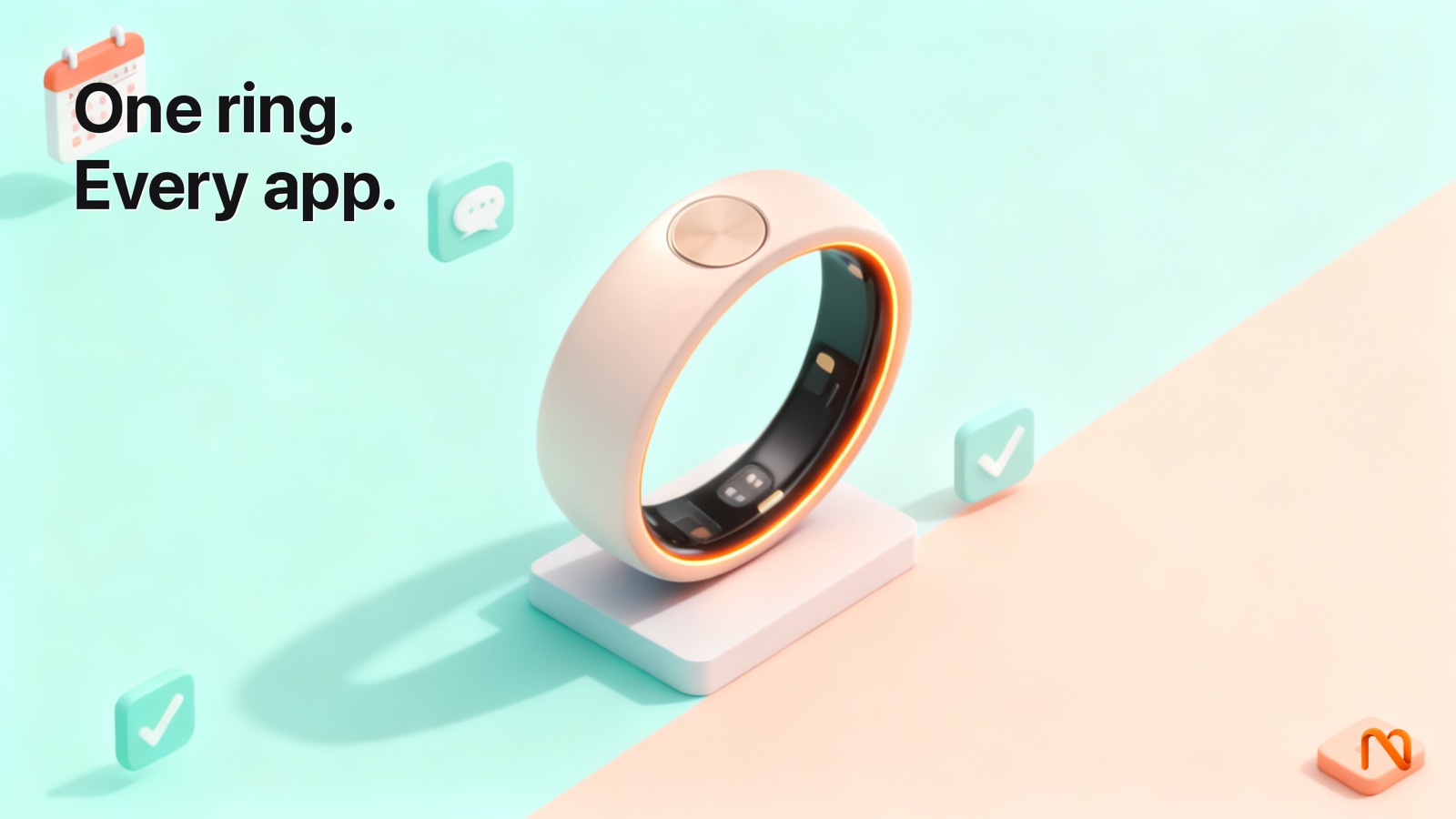
OpenClaw is an open plugin protocol for AI wearables — a shared standard that lets developers extend what a wearable agent can do by writing small TypeScript modules called “skills.” A skill teaches your device a new verb: control the lights, log a workout, reschedule a meeting, kick off a custom build. Because the protocol is open and the skills install from ClawHub or a plain GitHub repository, the capabilities of your device are no longer decided by one vendor's roadmap. You decide. This guide is the developer's tour: what OpenClaw is, how it loads and runs skills, how to build and ship one, and why an open standard keeps your hardware alive long after the hype cycle.
What OpenClaw Actually Is
Most AI gadgets ship with a fixed personality and a fixed menu of tricks. The assistant inside the box is the assistant you get. If you want it to talk to your home automation hub, or your team's ticketing system, or the espresso machine in your kitchen, you wait for the manufacturer to build it — or you wait forever. OpenClaw exists to break that dependency. It is a protocol, not a product: a documented contract for how a wearable agent and a third-party capability talk to each other, so that anyone who follows the contract can add a capability the device maker never imagined.
In practice, OpenClaw defines three things. First, a manifest— metadata that describes a skill, what it does, what permissions it needs, and which spoken intents should wake it. Second, a handler interface— the function the agent calls when it decides your skill is the right one for the moment. Third, a distribution format— a way to package, sign, and install a skill from a registry (ClawHub) or directly from source (a GitHub repository). Get those three right and a skill written by a stranger in another country runs safely on your collar without either of you ever meeting.
If that shape sounds familiar, it should. It is the same instinct behind the standardization wave that swept the broader agent ecosystem in 2024 and 2025, when the Model Context Protocol (MCP) turned a thousand bespoke integrations into one connect-once interface. The lesson the whole field learned is blunt: when every AI tool speaks a different dialect, developers drown in glue code and users get locked into whoever wrote the glue. An open standard collapses that. OpenClaw applies the same medicine to a place that badly needs it — the wearable, where the device is tiny, the agent is remote, and the temptation to lock everything down is strongest.
Why an Open Plugin Standard Matters
There is a difference between a device that accepts plugins and a device built around an openplugin standard. Plenty of closed products technically allow extensions — but only through a proprietary store, on the vendor's terms, reviewable and revocable at the vendor's whim, written against an API that can change or vanish without notice. That is not extensibility; it is a leash with extra length. An open standard is different in three concrete ways.
1. The contract is public and stable
When the manifest schema and the handler interface are published, documented, and versioned, a skill you write today keeps working tomorrow because breaking the contract breaks everyone's skills at once — which is exactly the pressure that keeps a standard honest. You are not coding against a moving target hidden behind an NDA. You are coding against a spec you can read, fork, and argue about in the open.
2. Distribution is not a gate
A skill can come from ClawHub, the community registry, but it does not haveto. Because the format is open, you can install a skill straight from a GitHub repository — your own private one, your company's internal one, or a friend's fork. No single party can decide your skill is not allowed to exist. The registry is a convenience and a discovery layer, not a chokepoint.
3. The device outlives the vendor
This is the one that matters most, and we will return to it at length below. A device whose capabilities live in open skills, talking over an open protocol, to agents you control, is a device that does not become a paperweight when a company runs out of money. The standard is the survival mechanism. We watched the alternative play out in public when the most-hyped AI wearable of its generation was bricked by a server shutdown, and we will use it as the cautionary tale it deserves to be.
The Architecture: How a Wearable Agent Runs a Skill
To build for OpenClaw you need a mental model of where everything lives, because a wearable is not a phone. The device on your collar — in Nexting's case, the PIN — is deliberately dumb: a microphone, a radio, a battery, and just enough silicon to capture your voice and stream it. The intelligence does not run on the pin. It runs in your agent: Claude Code on your laptop, an OpenClaw runtime on your own machine, a Codex session, or a managed runtime if you choose Nexting Plus. The wearable is a dispatcher; the agent is the worker; the skill is a tool the worker can pick up.
Conceptually, a single spoken request flows through four stages. Understanding these stages is the whole game, because your skill only participates in two of them, and pretending it participates in the others is how people write brittle plugins.
- Capture. You speak. The wearable captures audio and relays it to wherever your agent lives. Your skill is not involved here and should never assume anything about transport.
- Routing.The agent transcribes intent and decides which capability fits. This is where your skill's manifest earns its keep: the declared intents and description are what let the agent pick you.
- Execution.The agent invokes your skill's handler with a structured payload, your handler does its work, and it returns a structured result. This is the code you own.
- Response.The agent turns your result into something the human hears or sees — a spoken confirmation, a card in the phone app, a notification. Your job is to return clean structured data; the agent owns the presentation.
The host, the runtime, and the skill
Borrowing the vocabulary the agent-tools world has settled on, there is a host (the agent that wants to use capabilities), a runtime (the OpenClaw loader that discovers, sandboxes, and dispatches skills), and the skillsthemselves. The runtime is the part you do not write and should be glad you do not: it is responsible for reading manifests, enforcing the permissions a skill declared, isolating a skill so a bug in it cannot read another skill's secrets, and calling the right handler with a validated payload. You write to the runtime's interface and trust it to keep you boxed in. That isolation is not bureaucracy — it is what makes it safe to run a stranger's code next to your calendar credentials.
The pattern here mirrors the well-trodden “define a contract, let plugins implement it, load them dynamically” design that mature TypeScript plugin systems use: a typed interface the host enforces at the boundary, lazy loading so a skill only spins up when its intent fires, and a security model that prevents a plugin from reaching into application state it was never granted. None of this is exotic. The novelty is putting it on a body-worn device with a remote brain.
The Skills Model: What a Skill Is
A skill is the unit of capability. The cleanest way to think about it: a skill is a verb your agent learns, packaged with everything the agent needs to know about when to use it and what it is allowed to touch. A weather skill teaches “check the forecast.” A home skill teaches “dim the lights.” A standup skill teaches “post my update.” Each is small, focused, and independently installable — which is exactly the modularity that makes plugin architectures durable: you add a feature without bloating or destabilizing the core.
Anatomy of a skill
Every OpenClaw skill has the same skeleton: a manifest that declares identity and intent, a handler that does the work, and optional helpers. The shapes below are illustrative pseudocode — they communicate the pattern, not the exact field names of any shipping API. When you build for real, read the current OpenClaw spec; do not copy these verbatim.
// ILLUSTRATIVE PSEUDOCODE — shapes, not exact API.

// 1. The manifest: who am I, what can I do, what do I need?
export const manifest = {
  id: "com.example.lights",
  name: "Smart Lights",
  version: "1.0.0",
  description: "Control Philips Hue lights by room and scene.",
  // Spoken intents that should wake this skill. The agent uses
  // these (plus the description) to decide when to call you.
  intents: [
    "turn {state} the {room} lights",
    "set the {room} lights to {scene}",
    "dim the {room}",
  ],
  // Least-privilege: declare exactly what you touch. The runtime
  // enforces this — anything you didn't ask for, you can't reach.
  permissions: ["network:hue.local", "secret:hue_token"],
};
The manifest is the most important file you will write, because it is the part the agent reasons about. A vague description and sloppy intents mean the agent never picks your skill, or picks it at the wrong moment. A precise description (“control Philips Hue lights by room and scene”) and concrete intent templates make the routing decision easy. Treat the manifest like API documentation that a model reads at runtime — because that is exactly what it is.
// 2. The handler: the agent calls this with a structured payload.
// You return structured data — never UI strings, never raw audio.

type SkillInput = {
  intent: string;                 // which intent matched
  slots: Record<string, string>;  // extracted params, e.g. { room, state }
  context: SkillContext;          // granted secrets, scoped fetch, logger
};

type SkillResult =
  | { ok: true; summary: string; data?: unknown }
  | { ok: false; error: string };

export async function handle(input: SkillInput): Promise<SkillResult> {
  const { slots, context } = input;
  const room = slots.room ?? "living room";
  const state = slots.state ?? "on";

  try {
    // context.fetch is scoped to the network you declared.
    await context.fetch("https://hue.local/api/lights/" + room, {
      method: "PUT",
      body: JSON.stringify({ on: state === "on" }),
    });
    // Return a short summary; the AGENT decides how to speak it.
    return { ok: true, summary: room + " lights turned " + state };
  } catch (e) {
    // Handle errors explicitly. Never throw into the runtime.
    return { ok: false, error: "Could not reach the lights hub." };
  }
}
Notice three discipline points baked into that example, because they are the difference between a skill that feels native and one that feels broken. The handler returns a summary, not a sentence to read aloud — the agent owns voice and tone, and you should never hardcode phrasing that fights its personality. The handler never throws; it returns a structured error so the agent can recover gracefully and tell the human something useful. And it only reaches the network it declared, because the runtime hands it a scopedcontext.fetch rather than free access to the whole internet. Least privilege is not a nicety on a body-worn device; it is the whole safety story.
How a Skill Gets Triggered
Developers coming from traditional apps expect to wire up a button, a route, or an event listener. A skill has none of those. It is triggered by intent matching: the agent reads the transcribed request, considers every installed skill's manifest, and selects the one whose declared intents and description best fit — the same active tool-discovery idea the agent ecosystem has converged on, where the model picks the right capability from a catalog rather than being hardcoded to one. Your influence over that decision is entirely upstream, in how you write the manifest.
There are two healthy ways to think about triggering, and a skill usually uses both.
- Template intents are explicit patterns with slots, like
"set the {room} lights to {scene}". They are predictable and great for commands where the phrasing is fairly stable. The agent extracts the slots and hands them to your handler. - Semantic descriptionis the natural-language summary the agent falls back on when the user's phrasing does not match a template but clearly means the same thing. “Make the bedroom cozy” never appears in your intents, yet a good description (“control lights by room and scene, including warm/cozy presets”) lets the agent route it to you anyway.
The practical takeaway: write a handful of concrete template intents for the obvious phrasings, then invest in a description that explains the shapeof what you do, including the fuzzy edges. Over-specifying intents makes your skill rigid; a strong description makes it forgiving. And keep your scope narrow — one verb per skill. A “does everything for my home” mega-skill confuses the router and competes with itself; three focused skills each win their own intents cleanly.
Skill Types, With Real Examples
The protocol does not care what category a skill falls into — a skill is a skill — but it helps to see the range of what people build, because the patterns differ. Below is a map of common skill families, what they typically touch, and a concrete example of each.
| Skill family | What it touches | Example trigger |
|---|---|---|
| Smart home | Local network, hub APIs (Hue, Home Assistant) | “Dim the office and start the focus scene.” |
| Health & fitness | Health stores, wearable data, your own DB | “Log a 40-minute run and how I felt.” |
| Scheduling | Calendar APIs, free/busy lookups | “Move my 3pm to tomorrow morning.” |
| Knowledge capture | Notes apps, vector stores, your wiki | “Save that idea to my product backlog.” |
| Custom workflow | Internal tools, CI, ticketing, anything with an API | “Kick off the staging deploy and ping the channel.” |
| Information | Public APIs, search, your data feeds | “What's the latest on order #4471?” |
Smart home: the hello-world of wearable skills
Home control is where most developers start, and for good reason: the trigger is natural to say out loud, the result is instantly verifiable (the lights change or they do not), and the integration target usually exposes a clean local API. The pattern is almost always the same — declare a network permission for the hub, hold a token as a secret, translate the matched slots into a hub call, return a one-line summary. If you build one skill to learn the protocol, build this one.
Health and scheduling: skills that read before they write
Health and calendar skills introduce a wrinkle: they often need to read state before acting. Moving a meeting means checking free/busy first; logging a run might mean confirming you do not already have one logged. These skills lean harder on returning rich structured data so the agent can ask a follow-up (“You already logged a run at 8am — replace it?”) rather than guessing. They are also the skills where permission scoping matters most, because they touch genuinely sensitive records.
Custom workflows: the reason developers fall in love
The category that turns a gadget into a tool is the custom workflow. Anything your team already does through an API — trigger a build, file a ticket, query a dashboard, flip a feature flag — becomes a sentence you say while walking to lunch. This is where the dispatcher model shines: you fire the request, the agent runs the workflow in the background, and the result lands when it is done. You are not babysitting a token stream; you dispatched and moved on.
Building a Plugin: A Conceptual Walkthrough
Let us walk through building a skill end to end. We will stay conceptual — the exact CLI commands and field names belong to the live spec, not to this article — but the processis stable and worth internalizing. Our example: a “standup” skill that posts a status update to a team channel.
Step 1: Scaffold and define identity
Start with a TypeScript project — OpenClaw skills are TypeScript-based, which buys you compile-time enforcement of the host contract, exactly the benefit type-safe plugin systems are built around. Begin with the manifest, because the manifest forces you to answer the only questions that matter before you write a line of logic: what is this skill, when should the agent reach for it, and what is the minimum it needs to touch?
// ILLUSTRATIVE PSEUDOCODE
export const manifest = {
  id: "com.acme.standup",
  name: "Daily Standup",
  version: "0.1.0",
  description: "Post a short standup update to the team chat channel.",
  intents: [
    "post my standup",
    "standup update {text}",
    "tell the team {text}",
  ],
  permissions: ["network:chat.acme.com", "secret:chat_webhook"],
};
Step 2: Implement the handler
Now the work. Keep functions small and focused, handle errors explicitly, and remember the contract: structured in, structured out, no throwing, no UI strings.
// ILLUSTRATIVE PSEUDOCODE
export async function handle(input: SkillInput): Promise<SkillResult> {
  const text = input.slots.text?.trim();
  if (!text) {
    // Let the agent re-ask the human, instead of failing.
    return { ok: false, error: "What should the standup say?" };
  }

  const webhook = input.context.secret("chat_webhook");
  if (!webhook) {
    return { ok: false, error: "Standup webhook isn't configured." };
  }

  try {
    await input.context.fetch(webhook, {
      method: "POST",
      body: JSON.stringify({ text: "Standup: " + text }),
    });
    return { ok: true, summary: "Posted your standup to the team." };
  } catch {
    return { ok: false, error: "Couldn't reach the chat service." };
  }
}
Step 3: Test against a local runtime
Before anything touches your collar, run the skill against a local OpenClaw runtime that simulates the host. You feed it a matched intent and slots, it calls your handler, you inspect the result. This is ordinary unit testing with one wrinkle: you also test the routing. Does a realistic phrasing actually match your intents? Does an unrelated phrasing correctly not match? A skill that fires on the wrong request is worse than a skill that never fires, because it silently does the wrong thing.
// ILLUSTRATIVE PSEUDOCODE — local test
const result = await handle({
  intent: "standup update {text}",
  slots: { text: "shipped the plugin guide, reviewing PRs next" },
  context: fakeContext({ secrets: { chat_webhook: "https://..." } }),
});

assert(result.ok === true);
assert(result.summary.includes("Posted"));
Step 4: Declare permissions honestly, then package
Audit your manifest one more time against what the code actually does. Did you declare a network host you no longer call? Remove it. Did the code start reading a secret you forgot to declare? Add it — the runtime will block an undeclared access anyway, so an honest manifest is the only manifest that runs. Then package the skill into the OpenClaw distribution format. The build is the easy part; the honesty is the part that keeps users trusting the ecosystem.
- Pin a semantic version — users and the runtime both rely on it for upgrades.
- Write a one-paragraph README that says, plainly, what the skill does and what it touches.
- Build the distributable bundle with the OpenClaw tooling.
- Sign it if you are publishing — provenance is how a registry and a user know the bundle is really yours.
Installing a Plugin: ClawHub or GitHub
Distribution is where the open standard pays off for the person on the other end — the user installing your skill. There are two paths, and the fact that the second one exists is the whole point.
Path A: ClawHub, the community registry
ClawHub is the discovery layer — a searchable registry where published skills live with their descriptions, versions, permission declarations, and provenance. For a user, installing from ClawHub is the convenient default:
- Browse or search ClawHub for a skill (“smart lights,” “standup”).
- Read what it does and, critically, what permissions it requests— the manifest is shown up front.
- Install it to your agent runtime.
- Grant the secrets it needs (your hub token, your webhook URL) on your own machine — secrets never travel through a registry.
- Say the trigger and watch it run.
The registry is a convenience, not a wall. It helps people find good skills and gives authors a place to publish. But it is explicitly not the only way in, which is what separates an open standard from a walled store.
Path B: straight from GitHub (or anywhere)
Because the distribution format is open, a skill can be installed directly from a repository — the public one you forked, your company's private internal one, or a branch you are still developing. This is how teams ship skills that will never be public: an internal “deploy to staging” skill lives in a private repo and installs to the team's devices without ever passing through a registry. It is also how developers iterate — point the runtime at a local checkout, edit, reload, repeat.
# ILLUSTRATIVE — conceptual install flows, not exact commands.

# From the community registry:
openclaw install com.acme.standup

# Straight from a GitHub repo (public, private, or a branch):
openclaw install github:acme-corp/standup-skill#main

# From a local checkout while you develop:
openclaw install ./skills/standup
The symmetry is deliberate: the same skill, the same format, three different sources, no privileged gatekeeper. That is what “open” buys the person holding the device.
Permissions, Privacy, and Safety
A wearable hears your life, and a skill is third-party code running near that data. So the safety model is not an afterthought — it is the reason the architecture looks the way it does. The agent-tools world learned this the hard way; as standardized tool ecosystems exploded, researchers raced to add privilege management and risk assessment to open server ecosystems precisely because “any skill can do anything” is a disaster waiting to happen. OpenClaw bakes the lesson in from the start with three layers.
Least-privilege permissions
A skill gets exactly what it declared and nothing else. If your manifest asks for one network host and one secret, that is the entire surface the runtime exposes to your code. A bug in your skill cannot exfiltrate the user's calendar token because your skill was never handed it. Users see the requested permissions before they install, which means a skill that over-asks pays for it in trust.
Isolation between skills
Skills do not share state. The lights skill cannot read the standup skill's webhook, and neither can read the agent's private memory unless explicitly granted. This is the “plugins cannot reach into application state they were not granted” principle that secure plugin architectures enforce, applied to a context where the stakes are personal.
Encryption you do not have to think about
For agents on your computer such as Claude Code and Codex, Nexting offers optional end-to-end encryption, currently off by default — when enabled, keys stay with you and the cloud relays ciphertext. Voice audio and transcription use Nexting cloud speech-to-text either way. Your skill never sees the transport and should never assume it can; it receives a structured payload and returns one. That separation is not just clean design, it is what lets the privacy guarantee hold no matter what a skill does. If you choose the managed Nexting Plus runtime instead, work runs in the cloud by that design — an honest trade you opt into, not a default you are tricked into. In every mode, the standing promise is the same: your data is not used to train models, not sold, not shared, and you can delete it anytime.
The Real Payoff: Your Device Outlives the Vendor
Here is the argument that should make a developer choose an open standard over a slicker closed one. Closed AI gadgets have a failure mode that has nothing to do with whether the hardware works: the company dies, the servers go dark, and the device on your body turns into a brick. This is not hypothetical. The most-hyped AI wearable of its generation, a $700 pin, was acquired for a fraction of its funding and its servers were shut down on a scheduled date — bricking the devices and, by the company's own support page, permanently deleting customer data from its servers. People who had bought into “the future of technology” were left holding e-waste, most without refunds.
The thing that kills a closed gadget is not bad engineering. It is the single point of failure: the device is useless without the vendor's cloud brain, and there is no way to point it at anything else. An open standard removes that single point of failure by construction.
| Dimension | Closed gadget | Open-standard device |
|---|---|---|
| The brain | Vendor's cloud only | Your own agent (or a managed one you choose) |
| New capabilities | Wait for the vendor | Anyone can write a skill |
| Distribution | Vendor store, revocable | Registry or GitHub, your choice |
| If the company dies | Device bricks, data wiped | Point it at your own server, keep going |
| Your data | On their servers, their terms | E2E in BYOA modes; yours to delete |
When the protocol is open and your agent runs where you control it, the worst case is survivable. If a vendor walks away, the standard does not. You repoint the device at your own runtime, your skills keep loading, your workflows keep firing. The hardware you paid for stays useful because its intelligence was never hostage to one company's balance sheet. That is the difference between buying a product and renting permission to use one.
Where Nexting Fits — Honestly
Nexting is the remote-control layer for your personal AI agents: use the phone app, PIN, or Ring to reach your own AI agents anywhere. It integrates deeply with Claude Code, OpenClaw, and Codex, and OpenClaw is the open plugin standard that lets you extend it with custom skills. Bring-your-own-agent is free; the managed Nexting Plus runtime is $29/month or $279/year for people who would rather not host anything themselves. The PIN form factor is $129 retail, with a separate $1 reservation that locks the $104 Founder Edition offer. The flagship Ring has a refundable $1 reservation that becomes a $50 launch credit, with estimated fulfillment around Christmas 2026.
And here is the part the marketing department would soften and we will not: Nexting is only the Devices SDK is open source. The Devices SDK is public, and OpenClaw is an open plugin standard. That is real, and it is the part that protects you: the survival mechanism described above — open protocol, your own agent, skills you can install from anywhere — is genuinely in your hands. But not every line of the stack is open, and we are not going to claim it is to win a comparison-table checkbox. Earn the adjective or do not use it. What we will stand behind is the thing that matters for longevity: the protocol your device speaks and the agent it answers to are yours, so the device does not die with us.
The hardware itself is a Co-Builder Edition — 3D-printed today — and we would rather talk about what it does than recite a spec sheet. Nexting was built by Eric Shang, a solo founder and former DJI embedded engineer, which is the relevant context for why the device is deliberately minimal and the intelligence lives off-device in agents you own.
The Developer Ecosystem and How to Contribute
A standard is only as alive as the people building on it, and OpenClaw is young enough that early contributors shape it. There are four ways to participate, roughly in order of effort.
Write and publish skills
The highest-leverage contribution is a good skill. Pick something you actually do every day — the workflow you wish you could fire by voice — build the skill, and publish it to ClawHub so others can install it. The ecosystems that won in the broader agent world grew exactly this way: thousands of small, focused servers published by people scratching their own itch. Wearable skills will follow the same curve, and the early, useful ones become the reference everyone copies.
Improve the spec and the runtime
Because the protocol is open, the manifest schema, the handler interface, and the reference runtime are things you can read, file issues against, and send pull requests to. If an intent-matching edge case bites you, that is not a closed bug report into a void — it is a public discussion you can drive. Standards improve when the people hitting the rough edges are the people allowed to file the patch.
Write the docs you wished existed
Every developer ecosystem is starved for the honest, specific guide — the one that says “here is the gotcha nobody mentions.” If you build a skill and learn something the hard way (a routing quirk, a permission you did not expect to need), write it down. Documentation is the contribution that compounds, because it is the difference between a protocol a few experts can use and one a newcomer can pick up in an afternoon.
Help with safety
As the catalog of skills grows, so does the attack surface — the same privilege-management and risk-assessment problems the wider tool ecosystem is actively researching. If your background is security, reviewing skills, hardening the permission model, and stress-testing isolation are some of the most valuable work available. A plugin ecosystem lives or dies on whether users can trust a stranger's skill, and that trust is built by people who think adversarially about it before the attackers do.
Best Practices for Skill Authors
A short, opinionated checklist distilled from the patterns above and from how durable plugin ecosystems behave. Internalize these and your skills will feel native instead of bolted on.
- One verb per skill. Narrow scope routes cleanly and is easy to reason about. Resist the mega-skill.
- Write the manifest like docs a model reads. A precise description and concrete intents are what get you picked. This is your most important code.
- Return data, not sentences. Hand the agent a clean summary and structured
data; let it own voice and presentation. - Never throw. Return structured errors so the agent can recover and re-ask the human.
- Declare the minimum. Least privilege is enforced anyway, so an honest, tight manifest is the only one that works — and the only one users trust.
- Test routing, not just logic. Confirm realistic phrasings match and unrelated ones do not. A wrong-fire is worse than a no-fire.
- Version honestly. Semantic versions let the runtime and users upgrade safely. Breaking changes get a major bump.
- Assume encryption you cannot see. Never depend on transport details; you get a payload, you return one.
- Keep functions small. A handler that does one thing is a handler you can test, and a handler others can read.
OpenClaw and the Wider Agent-Tools World
Developers who have worked with the Model Context Protocol will recognize the family resemblance, and it is worth being precise about the relationship because it answers a fair question: if MCP already standardizes how agents reach tools, why does a wearable need its own plugin standard? The honest answer is that they solve overlapping but different problems, and the best skills will often use both.
MCP standardizes the connection between an agent and an external system — one connect-once interface so an agent can use any compatible server's capabilities without bespoke glue. It is a tool-access layer, and it is superb at it; the ecosystem proved the model by growing thousands of servers in a year. OpenClaw operates one level up, at the device and interaction layer: it standardizes how a wearable's spoken intent is matched to a capability, how that capability is packaged and installed onto a body-worn device, what permissions it declares, and how its result is handed back to be spoken aloud. A skill is the thing the human triggers by voice; an MCP server is one of the things a skill might call to get its work done.
Concretely: imagine a skill that, when you say “summarize today's support tickets,” reaches your ticketing system. The OpenClaw layer is what owns the intent (“summarize today's tickets”), the manifest, the permission to touch that system, and the voice-shaped summary it returns. Inside the handler, the actual reach into the ticketing system might well go through an MCP server you already run. The two standards compose. OpenClaw does not reinvent tool access; it adds the part MCP was never trying to cover — the wearable's mouth and ears, its install story, and its safety boundary on a device that hears your life.
This is also why building on a wearable-specific standard is worth the effort rather than bolting a generic agent onto a microphone. The constraints of the form factor — no screen to fall back on, a dumb relay device, a remote brain, audio that must stay private — force design decisions that a desktop tool protocol simply does not have opinions about. OpenClaw is where those decisions get made once, so every skill author inherits them instead of re-litigating them.
Designing for Voice: What Changes on a Wearable
The single biggest adjustment for developers coming from screens is that there is no screen. Your skill cannot show a dropdown, a confirmation modal, or a progress bar. It speaks, or it stays quiet. That constraint reshapes how you design every part of a skill, and getting it wrong is the most common reason a technically-correct skill feels miserable to use.
Make confirmations conversational, not modal
When a skill needs clarification — which room, which meeting, replace the existing log? — it does not pop a dialog. It returns a structured result that lets the agent ask, in its own voice, and routes the human's spoken answer back. That is why the handler examples above return a clean error string like “What should the standup say?” rather than failing: you are not erroring, you are handing the agent a question to ask. Design your skill as a series of small, answerable turns, not a form to fill.
Keep summaries short and verifiable
A spoken summary that runs three sentences is a summary nobody finishes hearing. Return the shortest true statement of what happened — “office lights turned off,” “posted your standup” — and put any detail the human might want to inspect later into the structured data field, where the agent can surface it on the phone app if asked. The voice channel is for confirmation; the data channel is for depth. Mixing them produces a skill that is exhausting to talk to.
Embrace fire-and-forget
The wearable's native interaction model is dispatch: say the thing, walk away, get the result when it is ready. Skills that fit this model — kick off a build, file the ticket, log the run — feel like magic. Skills that demand a tight back-and-forth at every step fight the form factor. When you can, design a skill to do the whole job from one utterance and report back asynchronously, rather than requiring the human to stand still and babysit it. The background is where the work belongs.
Debugging and Iterating on a Skill
The development loop for a skill is faster than the deploy-to-hardware ritual makes it sound, because most of your iteration never touches the device. The runtime is the same whether it is driven by a real wearable or by a test harness, so you do the overwhelming majority of your work locally and only validate on hardware at the end.
- Iterate against a local runtime. Install the skill from a local checkout, feed it intents and slots through the test harness, and inspect results. Edit, reload, repeat — no device required.
- Read the runtime's logs, not the device's. Because the skill runs in the runtime where your agent lives, that is where its logging surfaces. A scoped logger is part of the context the runtime hands you; use it, and never log secrets.
- Reproduce routing misses deliberately. When the agent picks the wrong skill or misses yours, the bug is almost always in the manifest, not the handler. Write down the exact phrasing that misrouted, add it to your test cases, and tune the description and intents until it routes right — then confirm you did not steal intents from another skill.
- Test the failure paths. Unplug the hub, revoke the token, send an empty slot. A skill is only as good as its behavior when the world misbehaves, and the wearable cannot show the user a stack trace — it can only speak whatever error string you returned. Make those strings human.
- Validate on hardware last. Once it behaves in the harness, say the trigger out loud to a real device. This catches the things a harness cannot: how the transcription handles your phrasing, whether the spoken summary lands, whether the latency feels acceptable for a fire-and-forget command.
One debugging discipline matters more than any tool: when something goes wrong, find the actual stage that failed before you change code. A skill that “does not work” might be a routing miss (the agent never called you — a manifest problem), a permission denial (you touched something undeclared — a manifest problem), a handler bug (you were called and threw or returned junk — a code problem), or a presentation quirk (you returned fine but the summary read badly — a copy problem). These have different fixes, and guessing wastes the iteration speed the local loop gives you. Confirm which stage failed, then fix that stage.
The Road Ahead
The wearable AI category spent its first wave chasing the wrong goal — replacing the phone — and several expensive products died proving it. The lesson that survived is quieter and more durable: the device should be a dispatcher for the agents you already trust, not a new walled assistant you have to learn to love. An open plugin standard is what makes that vision real, because it moves the power to extend the device from the vendor's roadmap to the developer community's imagination.
For developers, the opportunity is unusually wide open. The protocol is young, the patterns are familiar (manifest, handler, registry — the same shapes mature plugin and agent-tool ecosystems already proved out), and the early, useful skills will define the conventions everyone else builds on. The work is concrete: pick a workflow you do every day, teach your wearable the verb for it, publish it, and help harden the standard that keeps all of it alive. Build one skill this week. The verb you add might be the one a thousand other people did not know they were waiting for.
And whatever you build, build it on the foundation that will still be standing later. Open protocol, your own agent, skills you can install from anywhere — that is not a feature list, it is an insurance policy. The best reason to develop for an open wearable standard is the same reason to buy one: when the dust settles and the hype companies have come and gone, the thing you made still runs.
Meet Nexting PIN — $129
An Agent remote-control product. Wear it, say one sentence, and your own agents — Claude Code, OpenClaw, Codex — finish the work in the background.
Buy now