Examples
ILX MultiPad
Works with Nexting · keyboard case
Nexting Devices SDK · Case
ILX MultiPad
Keep the MultiPad's original controls and connect them to Nexting through a Bridge, with an observable proof at every step.
Case study: bring the ILX MultiPad to Nexting
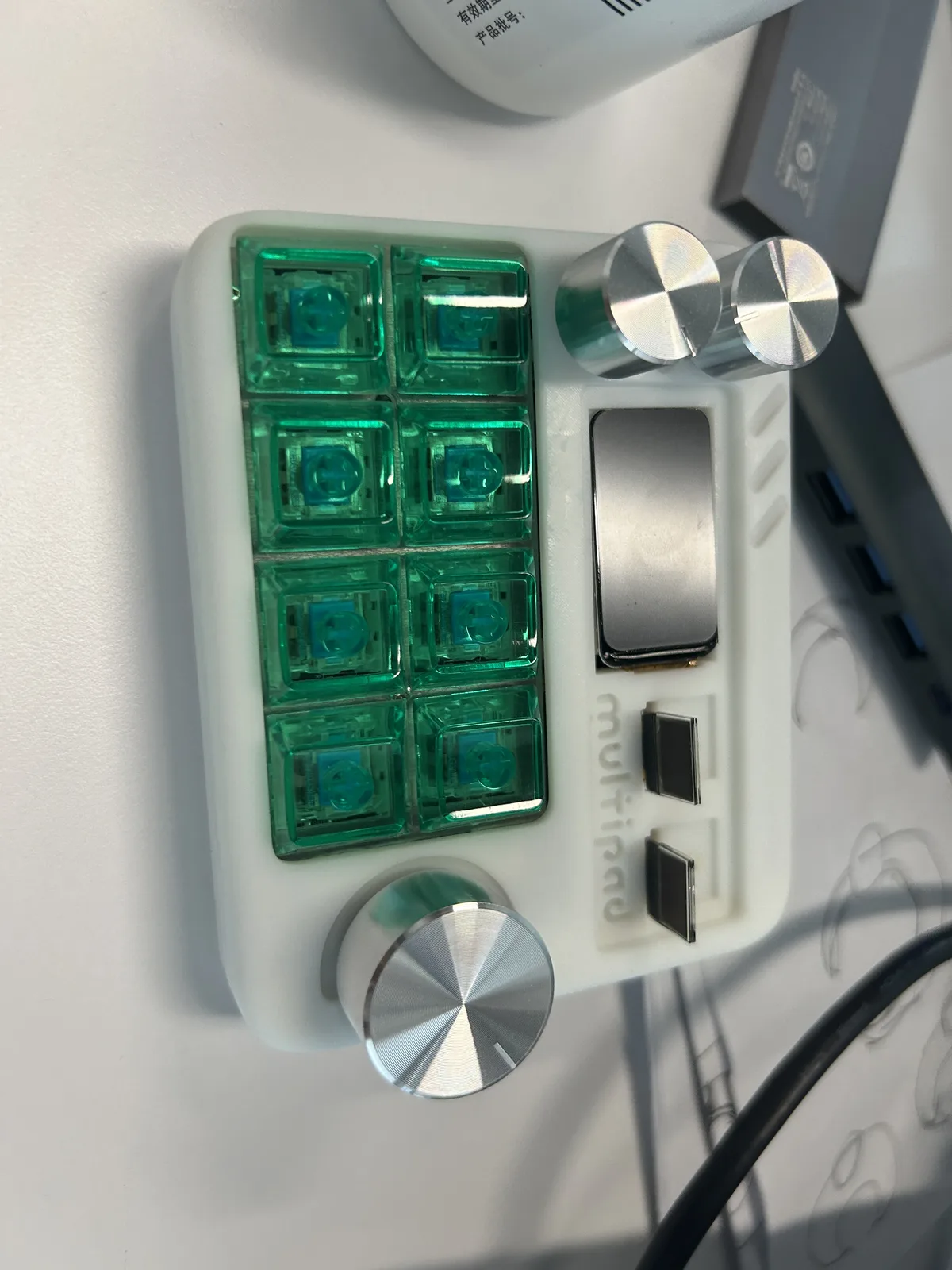
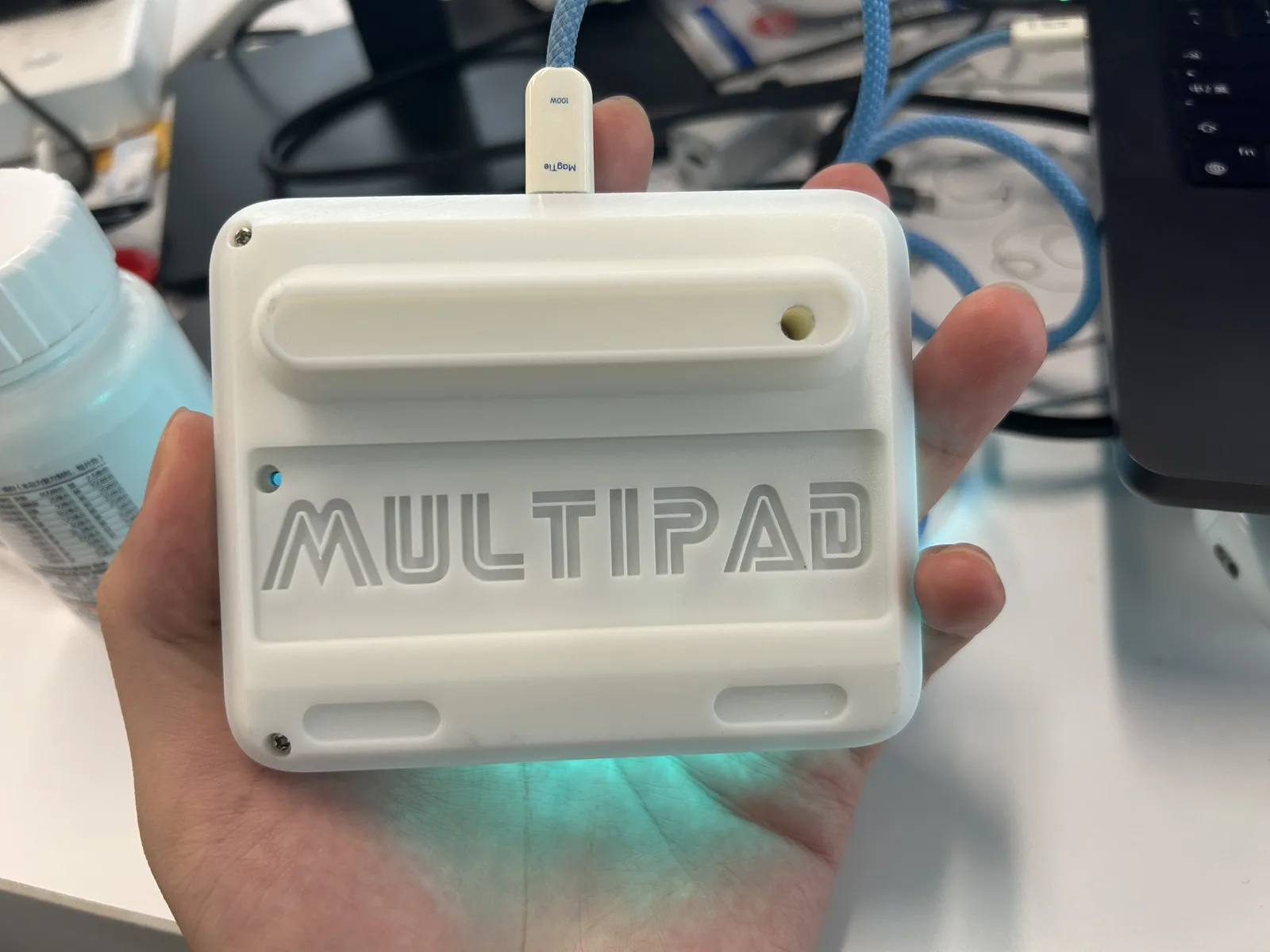
MultiPad is an STM32F103VET6 desktop control keyboard published on the Lichuang open hardware platform, with keys, rotary controls, and display openings. The steps below keep its original controls and connect them to Nexting through a Bridge.
Hardware and protocol notes
| Source | Description |
|---|---|
| Upstream MultiPad project page | STM32F103VET6 MCU, Electron desktop Host, and GPL-3.0 project license. |
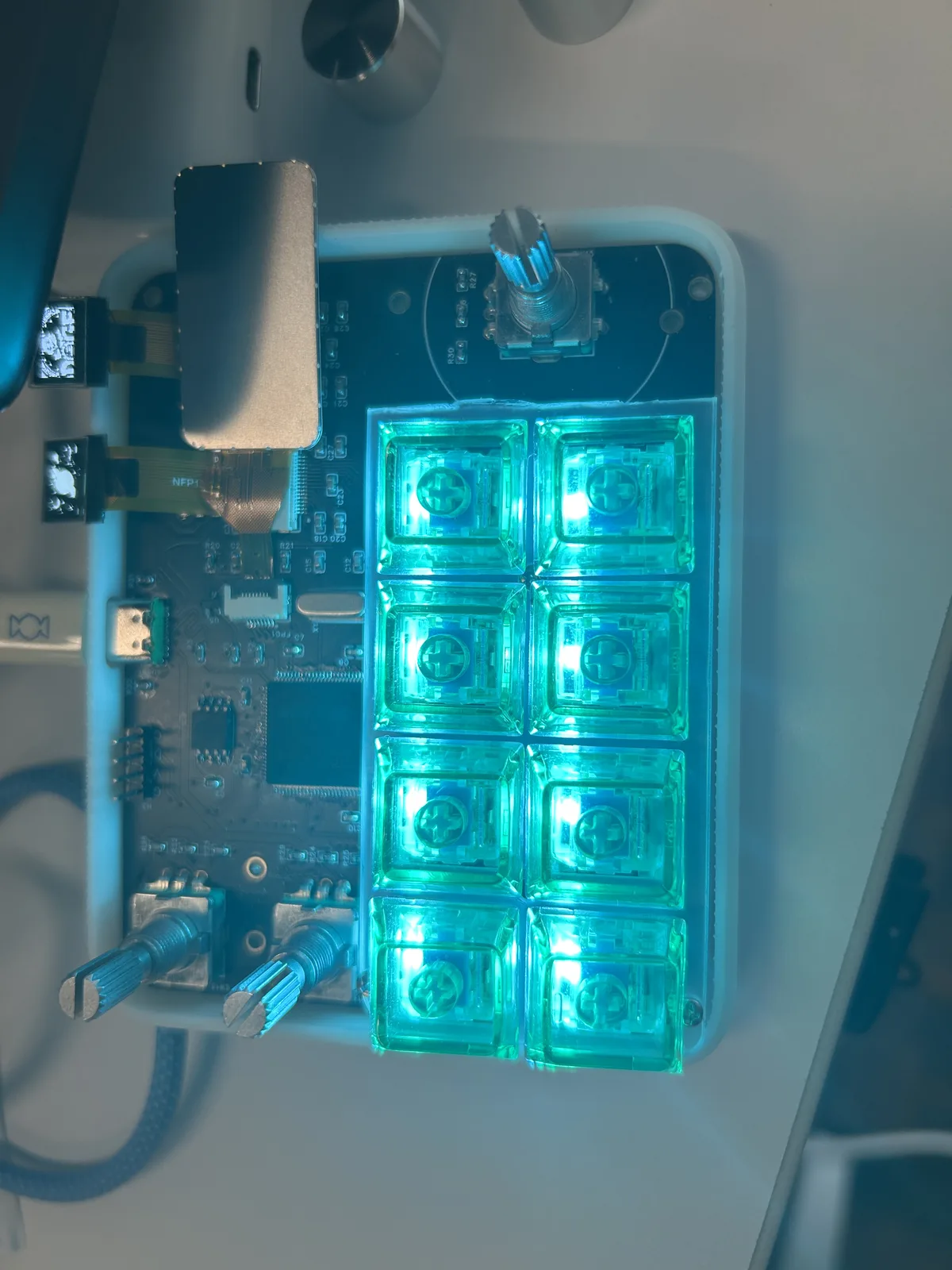
| Your physical-board photos | Transparent mechanical keys, several rotary controls, display openings, and a Type-C connector. Confirm the programming entry and pins on the board. |
| Nexting Devices SDK | approval/1, status/1, keys/1, rotary/1, and text/1 express generic device intent; MultiPad reaches these Profiles through a Bridge. |
Connection path
STM32F103VET6
USB events → SDK messages
Trusted Host on phone or computer
The Nexting device contract uses encrypted BLE GATT. Keep MultiPad's original firmware and Electron Host, then run a computer Bridge that translates USB/Host events into Nexting Profiles. Direct phone discovery requires a BLE companion or new wireless firmware.
Control mapping: the protocol does not choose the key
| MultiPad control (example) | Nexting intent | Profile | First implementation |
|---|---|---|---|
| One key you choose | allow for a one-time request | approval/1 | Declare the mapping in firmware or the Bridge; there is no fixed Allow key. |
| Another key you choose | deny for a one-time request | approval/1 | Return only the choice for the current request ID. |
| Any rotary control | direction or delta event | rotary/1 | Record delta in the Bridge first, then map it in the Host. |
| Rotary press or another key | confirm, select, or command event | keys/1 / navigation/1 | Let the Host assign meaning instead of baking it into the enclosure. |
| Display or screen opening | Agent state, title, or short text | status/1 / text/1 | Confirm the controller and resolution before declaring Device Info. |
/* Physical slots belong to your MultiPad firmware. */
if (event.slot == MULTIPAD_CONFIRM_SLOT &&
    event.gesture == NEXTING_DEVICE_GESTURE_PRESS) {
    nexting_device_state_choose(
      &approval, NEXTING_DEVICE_CHOICE_ALLOW, now_ms, &answer);
    transport_send(answer);
}

/* Another control can map to deny, navigation, or rotary. */
Firmware preparation
Preserve the original firmware
Use the original Electron Host to verify keys, rotary controls, displays, and Type-C first. Save the original image or at least a known recovery path.Identify the STM32 programming entry
After opening the board, use the schematic and silkscreen to locate SWD, Boot0/UART, or a USB download chip. Type-C is a connector shape, not proof of UF2 drag-and-drop.Build the Bridge before changing the MCU
If the original firmware already reports input to a computer, implement the USB/Host-to-Nexting adapter first. It is safer and reversible.Flash only a matched artifact
Flash only after the build artifact matches STM32F103VET6, the boot mode, and the board wiring. The Nexting Zephyr UF2 is not valid for this board by default.
Verification order: every step has an observable result
| Order | Verification | Pass condition |
|---|---|---|
| 1 | Operate every control with the original Host | The original firmware behavior is intact. |
| 2 | Have the Bridge report identity and capabilities | Host sees stable model, firmware, and profiles. |
| 3 | Map only one key to approval/1 | One request produces one allow or deny; duplicates do not execute twice. |
| 4 | Round-trip rotary and display state | Direction, delta, status, and disconnect clearing are observable. |
| 5 | Unplug, reconnect, expire, and roll back | Expired requests fail, stale state clears, and the original firmware is recoverable. |